Android closed beta, by invitation

Your screen time.
Earned on the pitch.

Turn mindless scrolling into a reason to get back on the ball. Complete juggling sessions, earn screen time, and build the habit that actually makes you better.

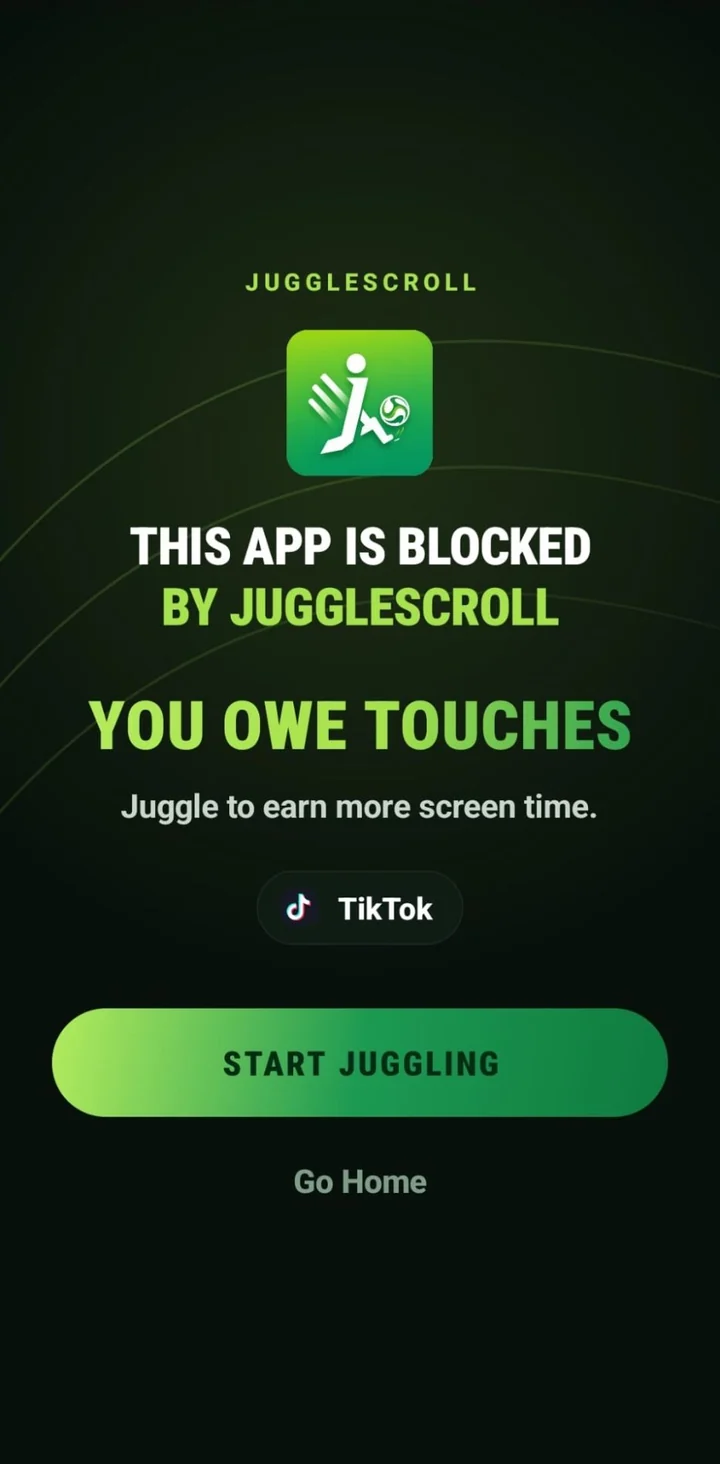
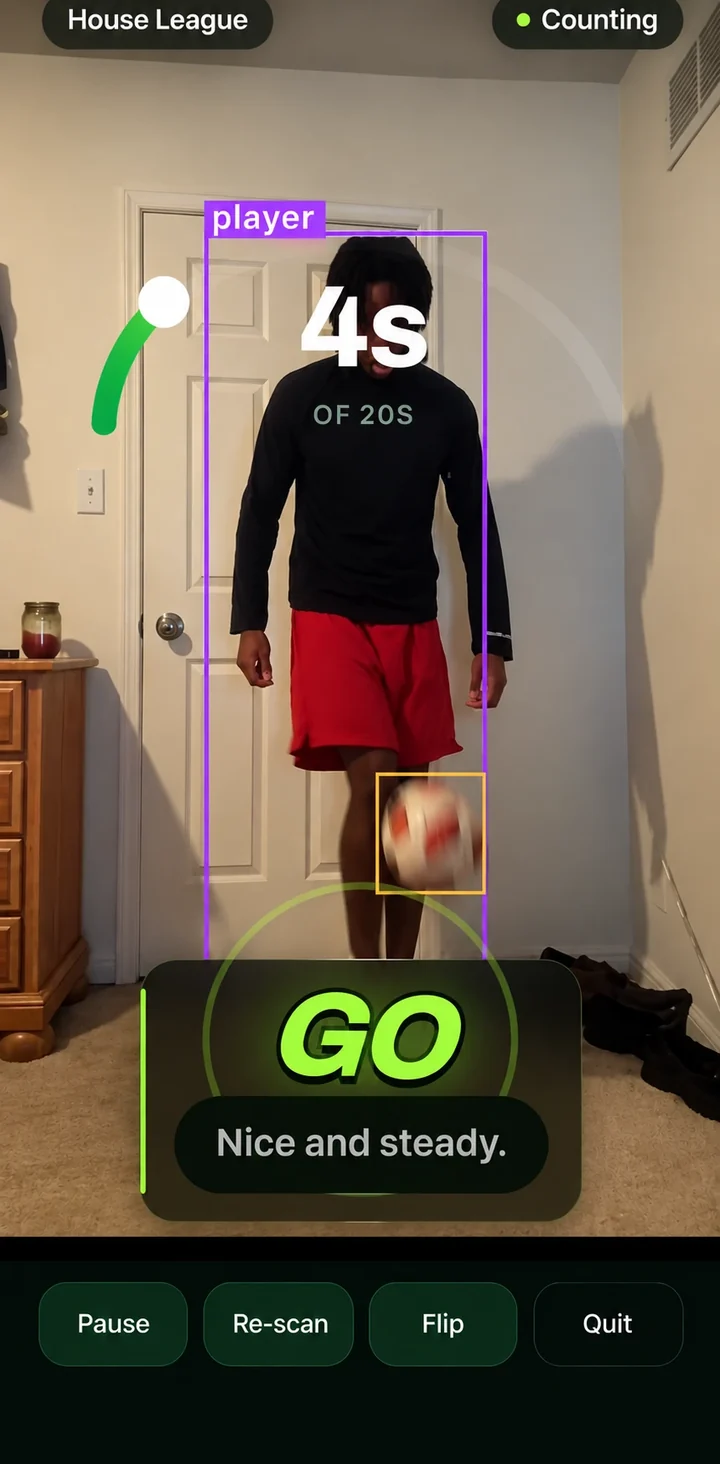
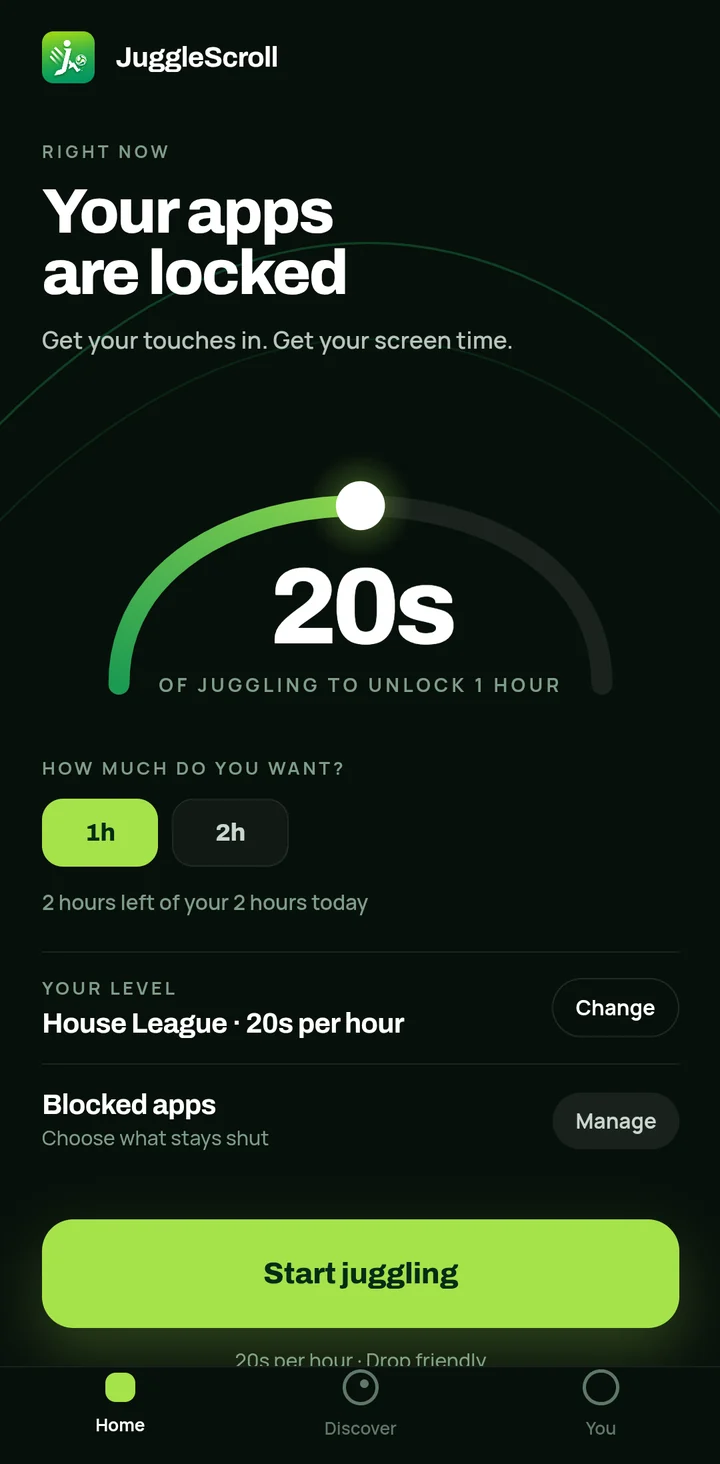
JuggleScroll blocking TikTok: "This app is blocked by JuggleScroll — you owe touches".A juggling session in progress: the camera has found the player and the ball, 4 seconds of 20 counted.The JuggleScroll home screen: 20 seconds of juggling unlocks 1 hour of screen time.
  1. 01Your apps stay shut
  2. 02Get your touches in
  3. 03Earn your time back

Real screens from the app

5 to 6 hours.

That's what a day of screen time can look like.

Over one week, that’s 35 to 42 hours.

Enough time for 23 to 28 full football matches.

Not every minute is wasted. But imagine what even a fraction of that time could become.

More touches. More consistency. More moments doing something you actually enjoy.

Your time deserves more than another scroll.

A time comparison, not a statistic. Five to six hours a day is an example of what screen time can add up to, not a claim about how much anyone uses their phone. One match is taken as 90 minutes: 35 hours is 2,100 minutes — 23 full matches with 30 minutes left over — and 42 hours is 2,520 minutes, exactly 28.

What does your week add up to?

Move the slider to your own daily screen time. It's a time comparison, not a judgement — some of that time is messages, maps and music.

5 hours
Every week
35 hours
Full 90-minute matches
23 + 30 min

Each tile is one full match.

Three steps.
One ball.

01

Choose your distractions.

Pick the apps that actually cost you the evening. JuggleScroll keeps them shut until you've earned your way back in.

  • Your list is read from your phone and stays on it — it's never uploaded.
  • On Android, a narrowly configured Accessibility service tells JuggleScroll which app just opened. It can't read what's on your screen.
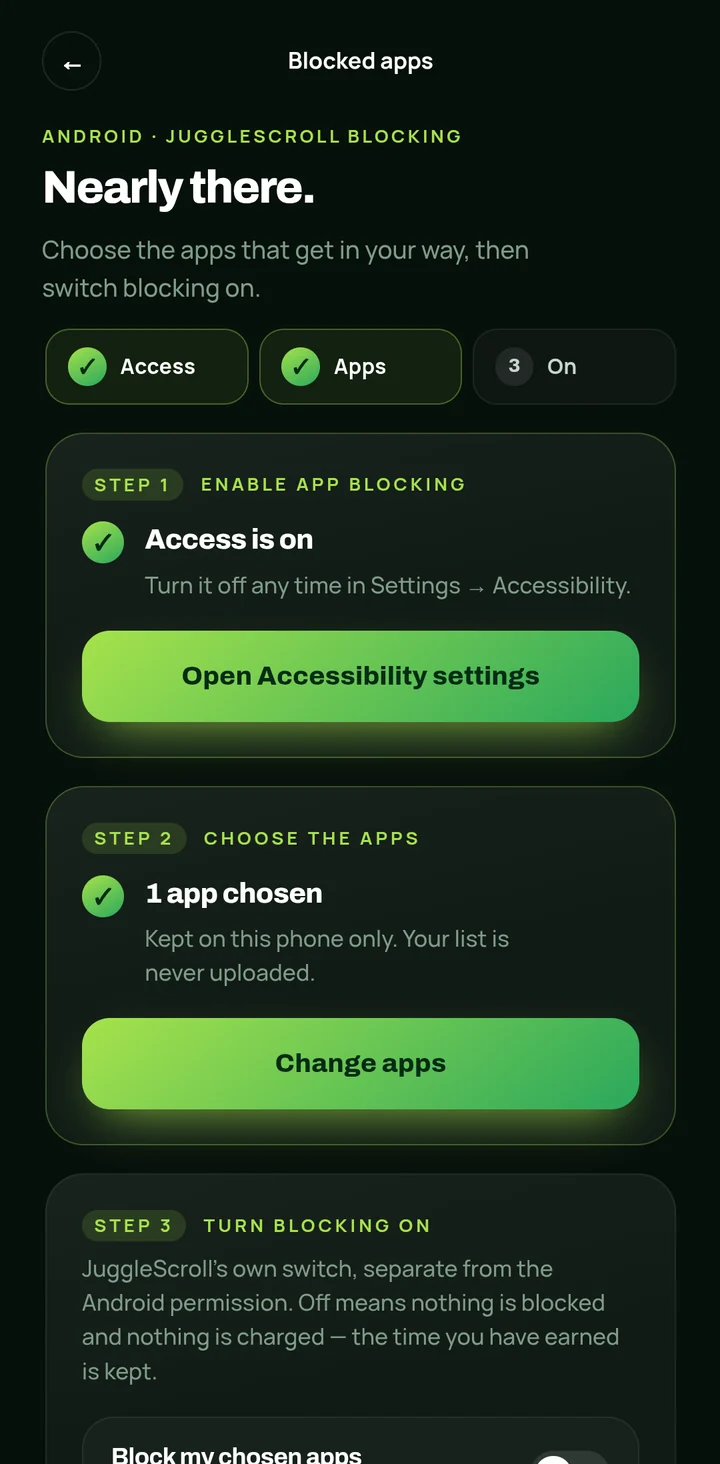
JuggleScroll's blocked-apps setup: access is on, one app chosen, and a note that the list is kept on this phone only.
“Kept on this phone only.”
A real juggling session: the camera has boxed the player and the ball, and 4 of 20 seconds are counted. The coach says: Nice and steady.
Only real juggling counts Drop it? In Drop Friendly mode,
the clock just pauses.
02

Get back on the ball.

Prop your phone up and start a session. The camera finds you and the ball and counts only the time you're actually keeping it up.

  • Detection runs on your phone. No video is recorded, saved or uploaded.
  • In the default Drop Friendly mode, a drop pauses the clock instead of wiping your progress. Want it harder? No Drop mode restarts the count.
03

Earn your time.

Hit your target and your apps open for the time you earned. Each level sets the price of an hour.

  1. House League 20s / hour
  2. Local Rep 40s / hour
  3. Rep 1m / hour
  4. Provincial 1m 10s / hour
  5. Youth Academy 1m 50s / hour
  6. Professional 3m / hour

Or set your own target. You also choose how much screen time you want in a day — that becomes a ceiling, and unspent time doesn't roll over. Every day starts fresh.

The JuggleScroll home screen: your apps are locked, 20 seconds of juggling unlocks one hour, and two hours are left of today's two-hour goal.
“2 hours left of your 2 hours today”

What's inside, and what isn't.

The camera works on your phone.

JuggleScroll finds the ball and counts your touches using detection models that run on the device. Frames are read and thrown away. No video or photo is ever recorded, saved or uploaded.

A blocker that can't read your screen.

To stop you opening an app, JuggleScroll needs to know it just opened. Android's Accessibility service tells it the app's name, and it's installed without permission to read screen content, so messages, passwords and anything you type are out of reach.

The app explains this before Android asks.

Your day has a ceiling.

Tell it how much screen time you want in a day. You can't bank past it and nothing rolls over, so it stays a habit, not a stockpile.

Six levels, House League to Professional.

From twenty seconds of juggling for an hour up to three minutes. Or set your own target.

Why touches matter.

Discover is a short daily deck on ball control and what your body does during a keep-up. Research cards link to the study they cite.

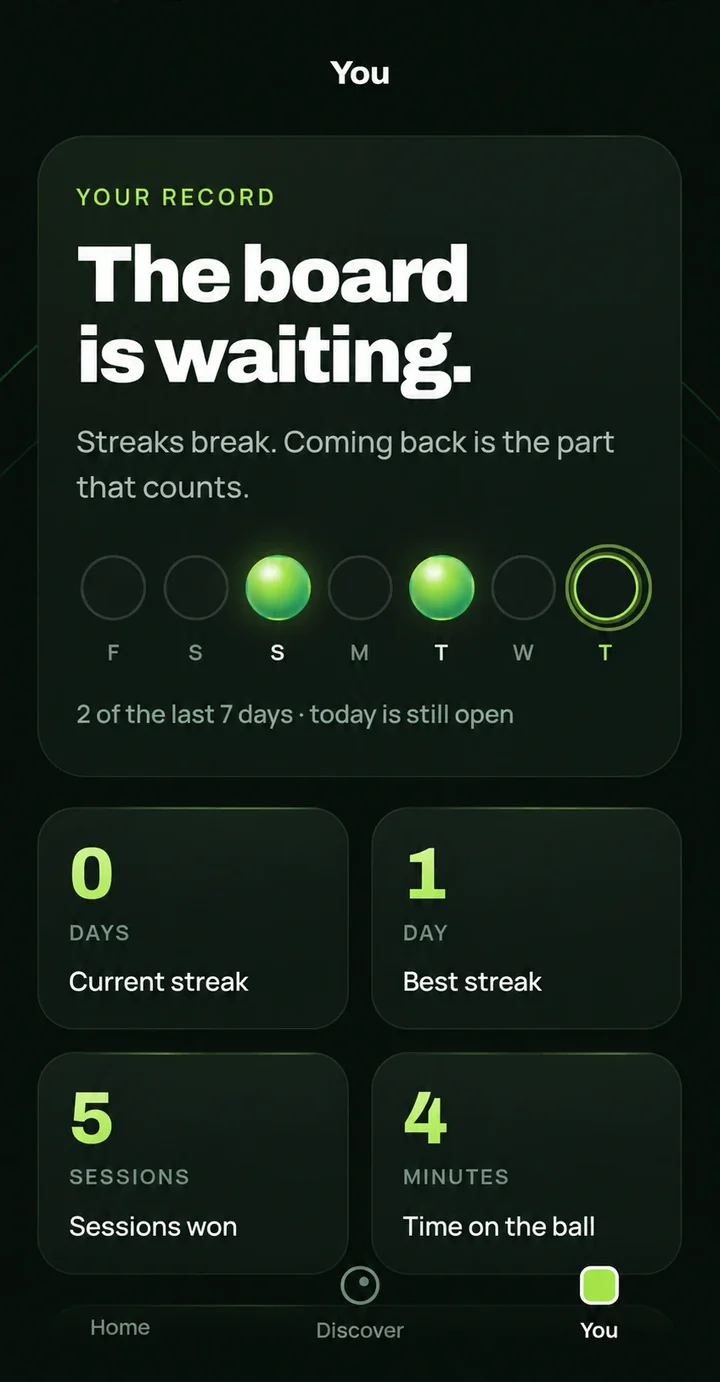
Streaks break. Coming back is the part that counts.

Your current and best streak, sessions won and time on the ball, kept so you can see the habit forming, not to shame you when it slips.

The You tab: a week of streak dots, current streak, best streak, five sessions won and four minutes on the ball.

What stays on your phone

  • Your name, goals and the list of apps you block.
  • No ads and no advertising ID.
  • No analytics SDK and no tracking across apps.
  • The only thing backed up is the date and length of each session you win.
  • You can delete it yourself from inside the app, any time. Here's how.

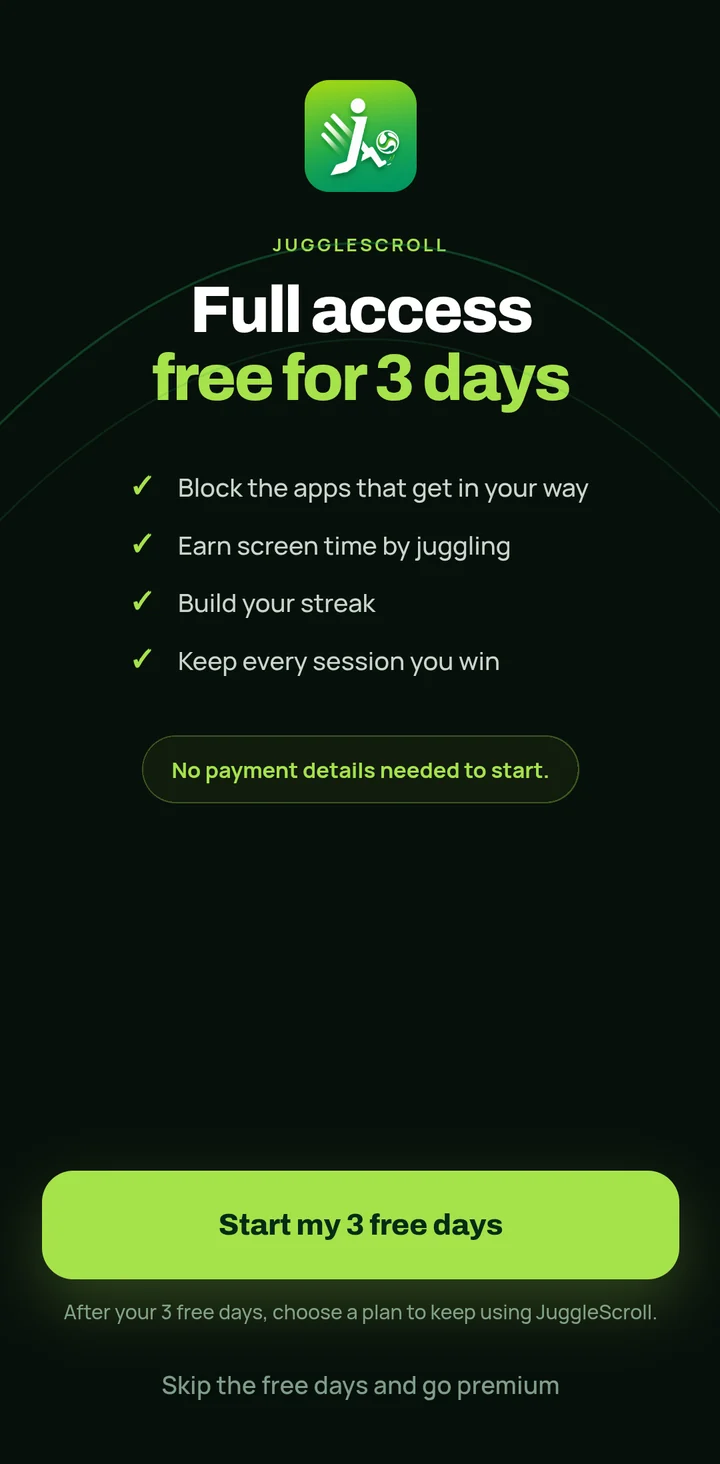
Three days free. No card.

Every feature is open for your first 72 hours. You don't enter payment details to start, and nothing is charged when they end.

  1. Hour 0Install, set up, start juggling. Everything unlocked.
  2. Hour 72Your free access ends. Nothing is charged, because you never gave a card.
  3. AfterKeep going with a monthly or yearly plan, or don't. It's your call.

Plans are monthly or yearly, through Google Play. Google Play shows the price in your currency before you buy, and you can cancel any time from the Play Store.

JuggleScroll's free-access screen: full access free for three days, no payment details needed to start.

The things people ask first.

How does JuggleScroll work?

You choose the apps that distract you and JuggleScroll keeps them shut. To open them, you start a juggling session: prop your phone up, juggle, and the camera counts the time you keep the ball up. Hit your target and your apps open for the time you earned. When it runs out, they lock again.

Does JuggleScroll record or upload my camera?

No. The camera is used only to find the ball during a juggling session, and the detection runs on your phone. Frames are read and thrown away — no video or photo is recorded, saved or uploaded.

Why does JuggleScroll need Accessibility access on Android?

To stop you opening an app, JuggleScroll has to know the moment that app comes to the front, and on Android an Accessibility service is the only way to find that out. It is set up as narrowly as Android allows: it is told the name of the app that opened, and it is installed without permission to read screen content — so it cannot see your messages, passwords, anything you type, or what is inside any app. JuggleScroll explains this in the app before Android asks, and you can turn it off any time in Settings → Accessibility.

Is JuggleScroll available on Android?

JuggleScroll for Android is in closed testing on Google Play, which means only invited testers can install it right now. To ask for a place, email jugglescroll@gmail.com with the Google account you use on your Android phone.

Is JuggleScroll free?

Your first 72 hours are completely free, with every feature unlocked and no payment details needed. After that, you can keep using JuggleScroll with a monthly or yearly subscription.

All questions

Less scrolling. More touches.

Closed testing, by invitation. Three days free, and no card to start.

JuggleScroll

JuggleScroll for iPhone is warming up.

We're working on bringing JuggleScroll to iOS. It isn't available on the App Store just yet.

Android beta instead