Make the ball
the price of the scroll.

JuggleScroll doesn't take your phone away. It asks you to earn the parts that cost you the most — with touches.

01

Choose your distractions.

Pick the apps that actually cost you the evening. JuggleScroll keeps them shut until you've earned your way back in.

  • Your list is read from your phone and stays on it — it's never uploaded.
  • On Android, a narrowly configured Accessibility service tells JuggleScroll which app just opened. It can't read what's on your screen.
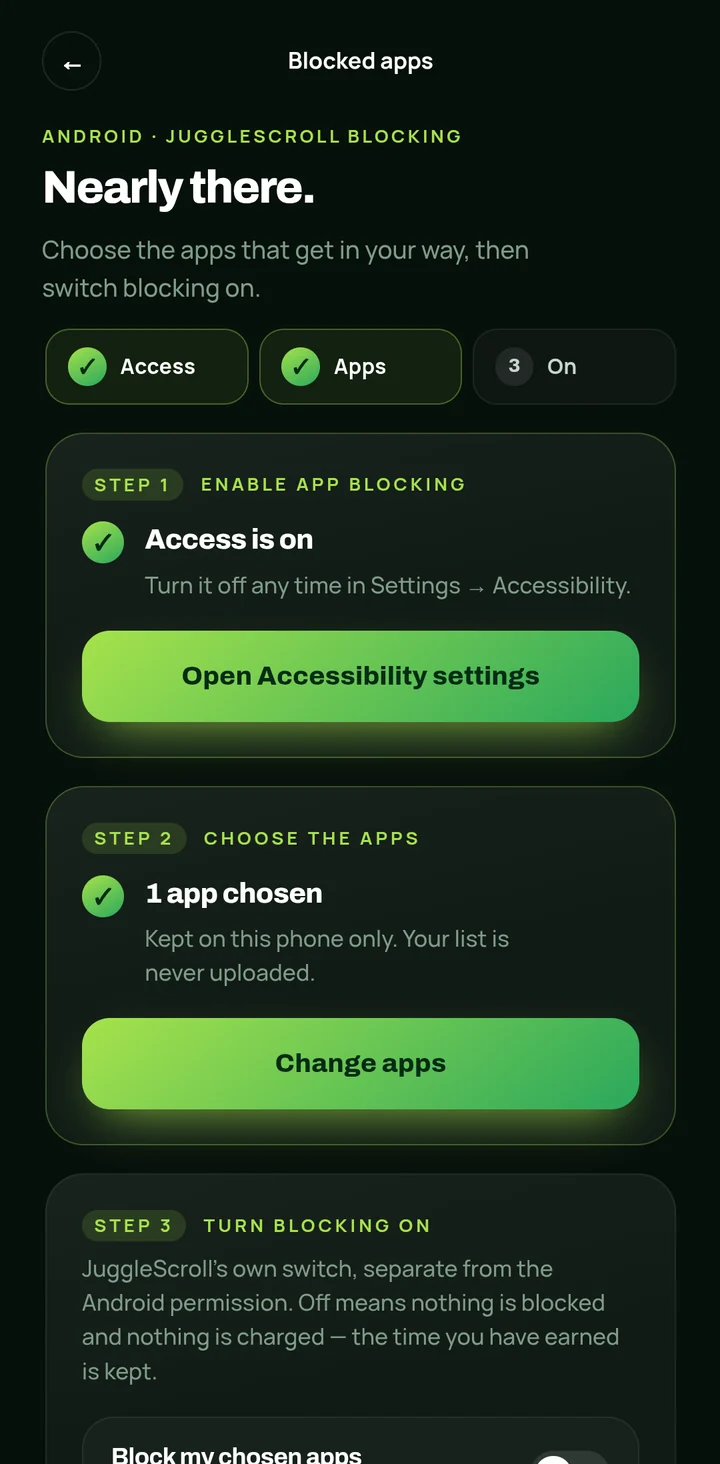
JuggleScroll's blocked-apps setup: access is on, one app chosen, and a note that the list is kept on this phone only.
“Kept on this phone only.”
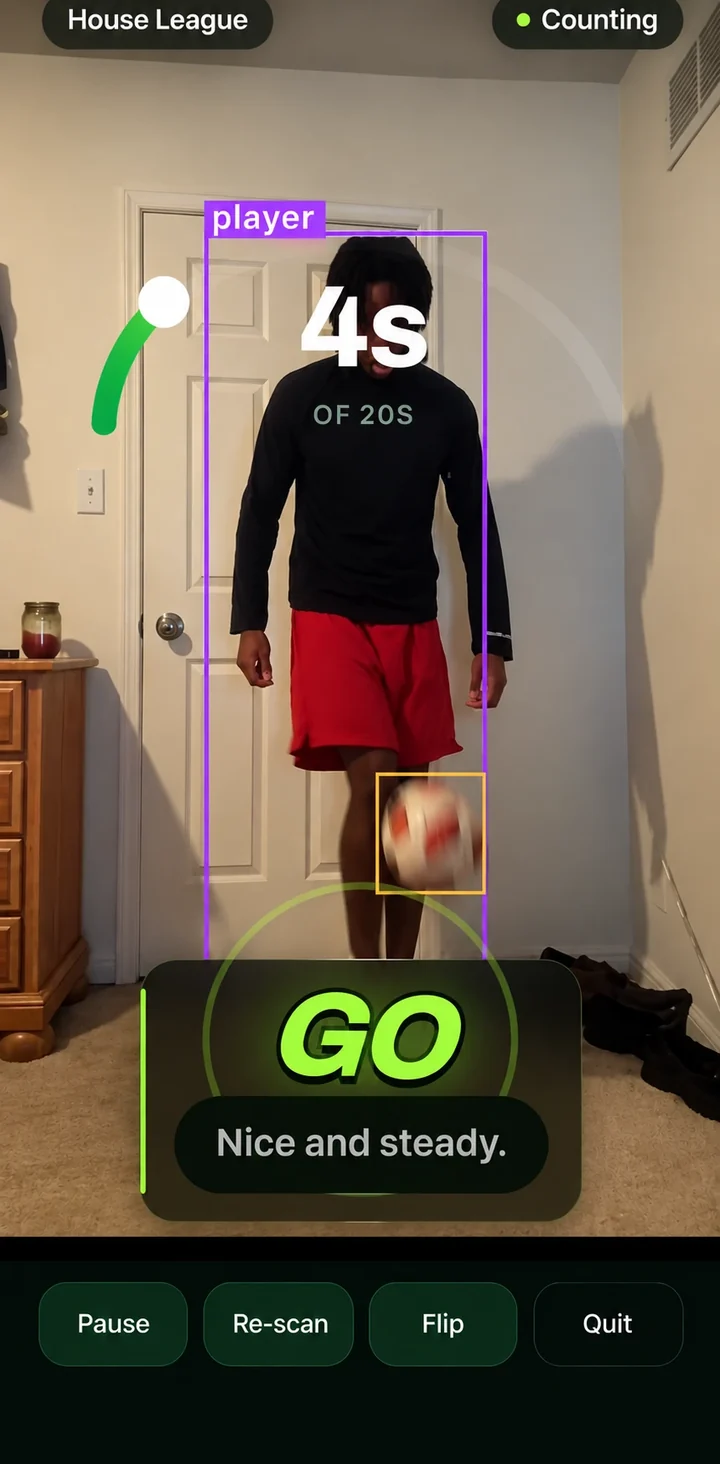
A real juggling session: the camera has boxed the player and the ball, and 4 of 20 seconds are counted. The coach says: Nice and steady.
Only real juggling counts Drop it? In Drop Friendly mode,
the clock just pauses.
02

Get back on the ball.

Prop your phone up and start a session. The camera finds you and the ball and counts only the time you're actually keeping it up.

  • Detection runs on your phone. No video is recorded, saved or uploaded.
  • In the default Drop Friendly mode, a drop pauses the clock instead of wiping your progress. Want it harder? No Drop mode restarts the count.
03

Earn your time.

Hit your target and your apps open for the time you earned. Each level sets the price of an hour.

  1. House League 20s / hour
  2. Local Rep 40s / hour
  3. Rep 1m / hour
  4. Provincial 1m 10s / hour
  5. Youth Academy 1m 50s / hour
  6. Professional 3m / hour

Or set your own target. You also choose how much screen time you want in a day — that becomes a ceiling, and unspent time doesn't roll over. Every day starts fresh.

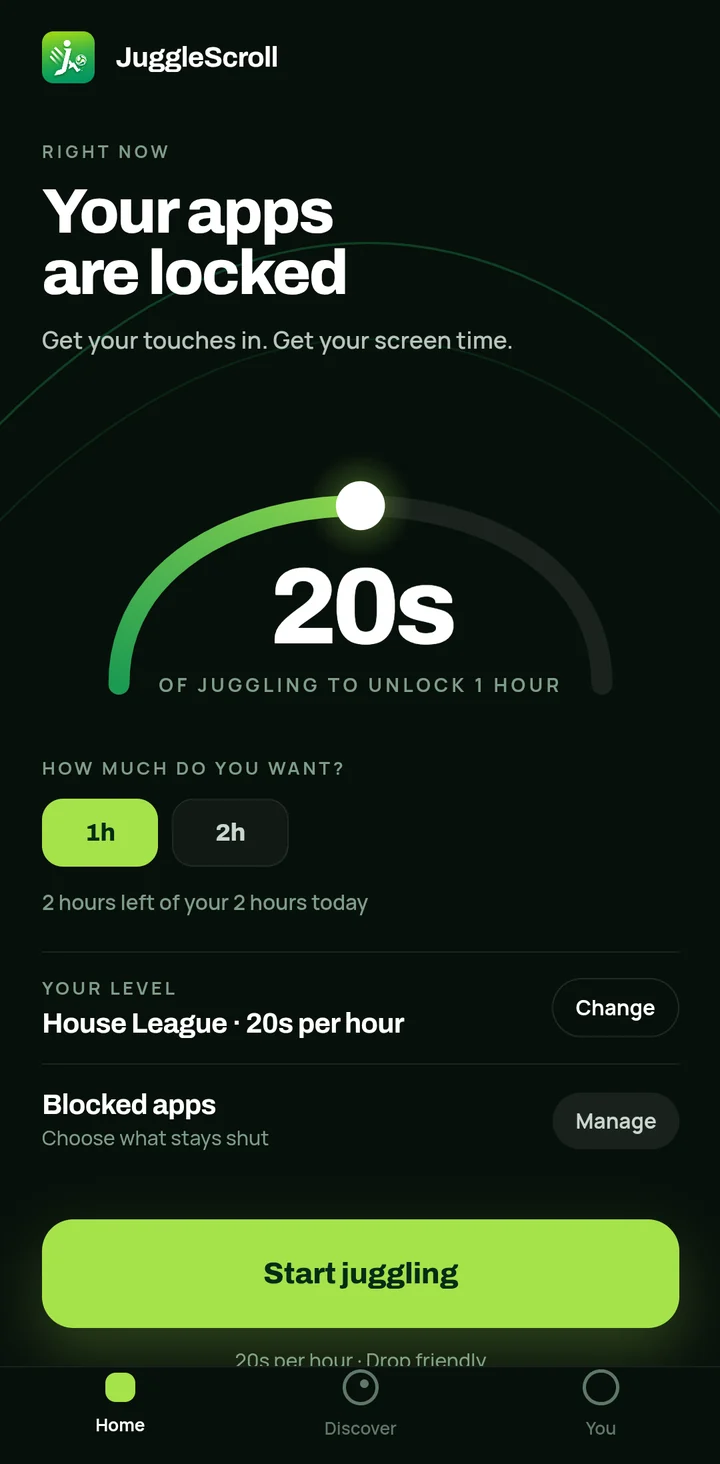
The JuggleScroll home screen: your apps are locked, 20 seconds of juggling unlocks one hour, and two hours are left of today's two-hour goal.
“2 hours left of your 2 hours today”

A day with JuggleScroll.

  1. 01

    Set your day

    Tell JuggleScroll what you are here for and how much screen time you actually want in a day. That number becomes your daily ceiling.

  2. 02

    Pick your level

    Six tiers named after the football pathway set the price of an hour — from 20 seconds of juggling at House League to 3 minutes at Professional. Or set your own.

  3. 03

    Choose what gets blocked

    Pick the apps that eat your evenings. On Android, JuggleScroll explains exactly what its Accessibility permission can and cannot see before you ever grant it.

  4. 04

    Juggle

    Prop your phone up where the camera can see you and the ball. A short scan finds the ball, then only active juggling is counted. Drop Friendly mode pauses on a drop; No Drop restarts the count.

  5. 05

    Spend it

    Earned time is a balance, not a timer: it only runs down while one of your blocked apps is actually open. Close the app and it stops.

  6. 06

    Start fresh tomorrow

    Unused time does not roll over. At midnight your day resets — your streak and your record are what carry forward.

Less scrolling. More touches.

Closed testing, by invitation. Three days free, and no card to start.

JuggleScroll

JuggleScroll for iPhone is warming up.

We're working on bringing JuggleScroll to iOS. It isn't available on the App Store just yet.

Android beta instead